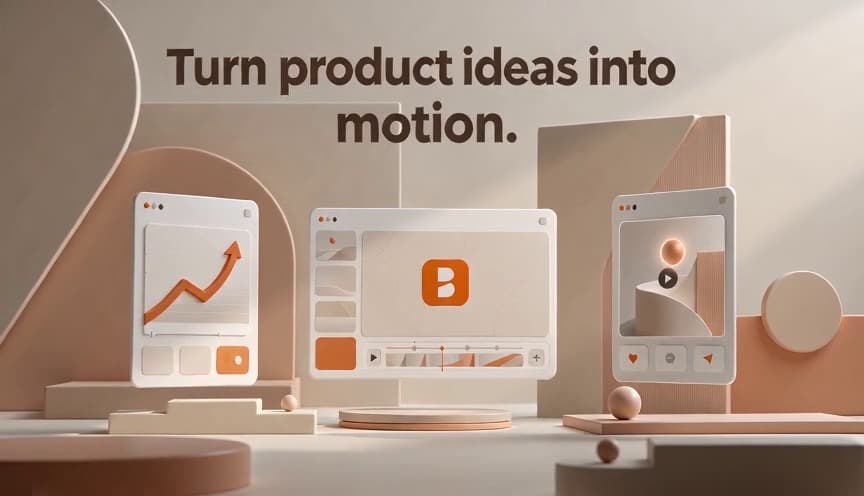
An original edit of ceramic product stills with animated typography.
Illustrative demo. Original still-image editing and animation, not a video generated by Brevyn or a specific model.
Launch story
Frame the product problem, reveal, and next action.
Account-based AI video creation
Bring Launch, Product, and Social video workflows into one account-based workspace. Start from a brief, product URL context, or owned visual reference; SaaS and app launches are the first paid focus.
Account checks apply before generation
You can prepare locally, then sign in for upload, entitlement, rights, and safety checks.
Featured workflow
SaaS and app launches are the first paid focus: a clear brief, an approved visual input, and one launch story. Launch is the starting wedge, not Brevyn's product ceiling.
Illustrative directions for launch, product, and social workflows — not customer claims or guaranteed outcomes.
An original edit of ceramic product stills with animated typography.
Illustrative demo. Original still-image editing and animation, not a video generated by Brevyn or a specific model.
Frame the product problem, reveal, and next action.

Warm ivory ceramic objects against a dark background.
Original concept artwork. Not an output example from Brevyn or a specific model.
Keep one product capability at the center of the clip.
A vertical edit of citrus beverage concept stills with animated typography.
Illustrative demo. Original still-image editing and animation, not a video generated by Brevyn or a specific model.
Adapt the same message for a shorter attention window.
Choose the intent that best frames your brief. The workspace shows the inputs and settings currently available to your account.
Frame the problem, reveal the product, and land one clear next action.
Keep one capability or product moment at the center of the brief.
Adapt one focused message for a shorter attention window.
From the Blog
Separate official Seedance 2.5 release facts from provider availability and Brevyn's current capability boundaries.
Account-bound credits
Current pack and subscription prices stay visible as catalog reference when checkout is unavailable. Payment, credits, and generation remain separate gated steps.
View availabilityA one-time credit path when it is available for your account.
A recurring credit path when it is available for your account.
Yes. Creation and results stay attached to your account. The homepage only saves a local draft; it never starts anonymous generation.
Start with a brief, product page URL, or owned visual reference. A product URL is saved only as brief context and is never crawled or treated as an image.
No. Some requests need review, and Brevyn can pause submission entirely when the required checks or runtime are unavailable.
No. You need permission to use your inputs and must review each output. Brevyn does not guarantee quality, legal clearance, or a commercial outcome.
Account-based AI video creation
Bring Launch, Product, and Social video workflows into one account-based workspace. Start from a brief, product URL context, or owned visual reference; SaaS and app launches are the first paid focus.
Account checks apply before generation
You can prepare locally, then sign in for upload, entitlement, rights, and safety checks.
Featured workflow
SaaS and app launches are the first paid focus: a clear brief, an approved visual input, and one launch story. Launch is the starting wedge, not Brevyn's product ceiling.
Illustrative directions for launch, product, and social workflows — not customer claims or guaranteed outcomes.
An original edit of ceramic product stills with animated typography.
Illustrative demo. Original still-image editing and animation, not a video generated by Brevyn or a specific model.
Frame the product problem, reveal, and next action.
Warm ivory ceramic objects against a dark background.
Original concept artwork. Not an output example from Brevyn or a specific model.
Keep one product capability at the center of the clip.
A vertical edit of citrus beverage concept stills with animated typography.
Illustrative demo. Original still-image editing and animation, not a video generated by Brevyn or a specific model.
Adapt the same message for a shorter attention window.
Choose the intent that best frames your brief. The workspace shows the inputs and settings currently available to your account.
Frame the problem, reveal the product, and land one clear next action.
Keep one capability or product moment at the center of the brief.
Adapt one focused message for a shorter attention window.
From the Blog
Separate official Seedance 2.5 release facts from provider availability and Brevyn's current capability boundaries.
Account-bound credits
Current pack and subscription prices stay visible as catalog reference when checkout is unavailable. Payment, credits, and generation remain separate gated steps.
View availabilityA one-time credit path when it is available for your account.
A recurring credit path when it is available for your account.
Yes. Creation and results stay attached to your account. The homepage only saves a local draft; it never starts anonymous generation.
Start with a brief, product page URL, or owned visual reference. A product URL is saved only as brief context and is never crawled or treated as an image.
No. Some requests need review, and Brevyn can pause submission entirely when the required checks or runtime are unavailable.
No. You need permission to use your inputs and must review each output. Brevyn does not guarantee quality, legal clearance, or a commercial outcome.